Blog
Deutz Diagnostic Tools & Software – Complete Guide for 2025


Deutz engines power tractors, construction machines, industrial units, generators, and heavy equipment worldwide. Because modern Deutz engines (EMR2, EMR3, EMR4, Tier 4 Final, Stage V, Common Rail) rely on advanced electronics, correct diagnostics require OEM-level tools and software.
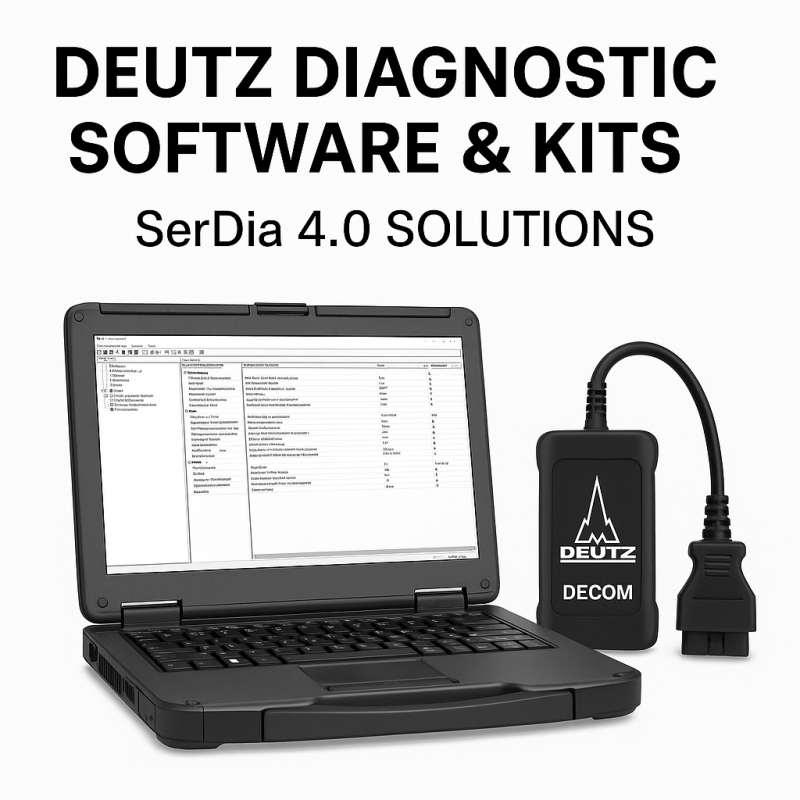
This guide explains everything you need to know about Deutz diagnostic tools, Deutz diagnostic software, SerDia, communication cables, and professional service kits offered by Diagsoft Solutions.
Why Deutz Diagnostics Are Essential
Modern Deutz engines include electronic systems such as:
- EMR2 / EMR3 / EMR4 control units
- Tier 3, Tier 4 Final, Stage V emissions
- Common Rail injection
- EGR, SCR, DPF emission systems
- CAN-BUS J1939 diagnostics
- Advanced temperature & pressure sensors
- Electronic fuel pumps & actuators
These require OEM diagnostic tools for:
- Reading & clearing ECU fault codes
- Monitoring real-time engine data
- Injector coding & adaptation
- Actuator activation tests
- DPF regeneration & SCR resets
- ECU configuration
- Emission troubleshooting
- Calibrations after repairs
- Engine protection monitoring
Using the correct diagnostic software reduces downtime and improves the accuracy of repairs.
Official Deutz Diagnostic Software (Deutz SerDia)
The primary OEM tool for Deutz engines is Deutz SerDia, the same diagnostic platform used by official Deutz service centers.
Main capabilities include:
- Complete ECU scanning
- Live engine data and analytics
- Injector coding & fuel system adaptation
- Guided troubleshooting
- DPF & SCR service functions
- ECU programming (flash updates when supported)
- Actuator tests (fan, EGR, SCR pump, etc.)
- Calibration of sensors & valves
- Recording and exporting diagnostic logs
SerDia provides dealer-level functionality, making it the strongest option for workshops working on Deutz engines.
Supported Deutz Engines
SerDia covers almost every Deutz diesel engine family:
TCD Series:
- TCD 2.2, TCD 2.9, TCD 3.6
- TCD 4.1, TCD 6.1, TCD 7.8
Air-Cooled Engines:
- BF4M2011
- BF6M2012
- 1011, 1012, 1013, 1015 series
Emission Standards:
- Tier 3
- Tier 4 Final
- Stage III, IV, V
- SCR, EGR, DPF engines
If your machine has a Deutz engine — SerDia supports it.
Diagnostic Interfaces for Deutz
To use Deutz SerDia, you need a compatible interface.
Recommended options:
CAN-J1939 Professional Interface
- Full compatibility
- Supports all EMR controllers
- Rock-solid CAN communication
OEM Deutz Interface
- Dealer-level access
- Required for high-level ECU programming
Diagsoft Solutions provides complete kits including interface + software + cables + activation.
What’s Included in a Deutz Diagnostic Kit
A typical professional kit includes:
- Deutz SerDia software (latest version)
- Diagnostic interface: DPA5, Nexiq, or OEM
- Engine communication cables
- USB–CAN harness
- Full installation & activation support
- Deutz service manuals (optional)
- Troubleshooting guide for common EMR faults
- Remote setup assistance
Common Deutz Problems Diagnosed With These Tools
SCR / AdBlue / Emission Issues
- NOx sensor failure
- DEF pressure/temperature errors
- AdBlue injector malfunction
- SCR efficiency faults
- DPF soot overload
- Forced regeneration required
Fuel System Issues
- Injector misfire
- Rail pressure faults
- Fuel pump regulation issues
Turbo & Air System
- Boost pressure errors
- MAP sensor failures
- EGR valve problems
Electrical / Sensor Failures
- Camshaft sensor
- Crankshaft sensor
- Temperature & pressure sensors
- CAN communication errors
Using SerDia allows you to identify the exact component, view fault history, and run actuator tests to confirm the problem.
Step-By-Step: How Deutz Diagnostics Work
- Connect the diagnostic interface to the machine
- Open Deutz SerDia
- Select engine family (TCD, 2011, 1013, etc.)
- Run AutoScan
- Review active and stored ECU fault codes
- Check live engine data
- Perform actuator tests
- Clear fault memory
- Run calibrations
- Perform SCR/DPF service functions if required
Deutz OEM Diagnostics vs. Universal Tools
OEM SerDia Diagnostic Tools:
- Full ECU access
- DPF/SCR functions
- Injector coding
- Programming capabilities
- Advanced calibration
Universal Tools:
- Only basic fault reading
- Limited live data
- No coding
- No ECU programming
- Not suitable for complex repairs
For workshops repairing Deutz engines regularly — OEM tools are essential.
Why Buy Deutz Tools From Diagsoft Solutions
- Latest SerDia versions
- Lifetime activation
- Remote installation support
- High-quality interfaces (no cheap clones)
- Fast delivery worldwide
- Professional technical support
- Full compatibility with all Deutz engines
- Thousands of customers served
Diagsoft Solutions offers complete diagnostic kits, service manuals, flash files (when applicable), and multi-brand diagnostic bundles.
Popular Deutz Products (Add Internal Links)
Discover more from Diagsoft Solutions
Subscribe to get the latest posts sent to your email.